Recording right now across Korea

Beyond capture. Into data.

Capture·Review·Operate·Learn

4K multi-angle cameras for sports and arts spaces — video for members, hands-free operations for venues, training data for robotics.

From the floor

No staged shots.
This runs every day.

From the control station to Keep on the wrist, clips landing in the app, and the console and kiosk owners use — this is Spoclip running for real.

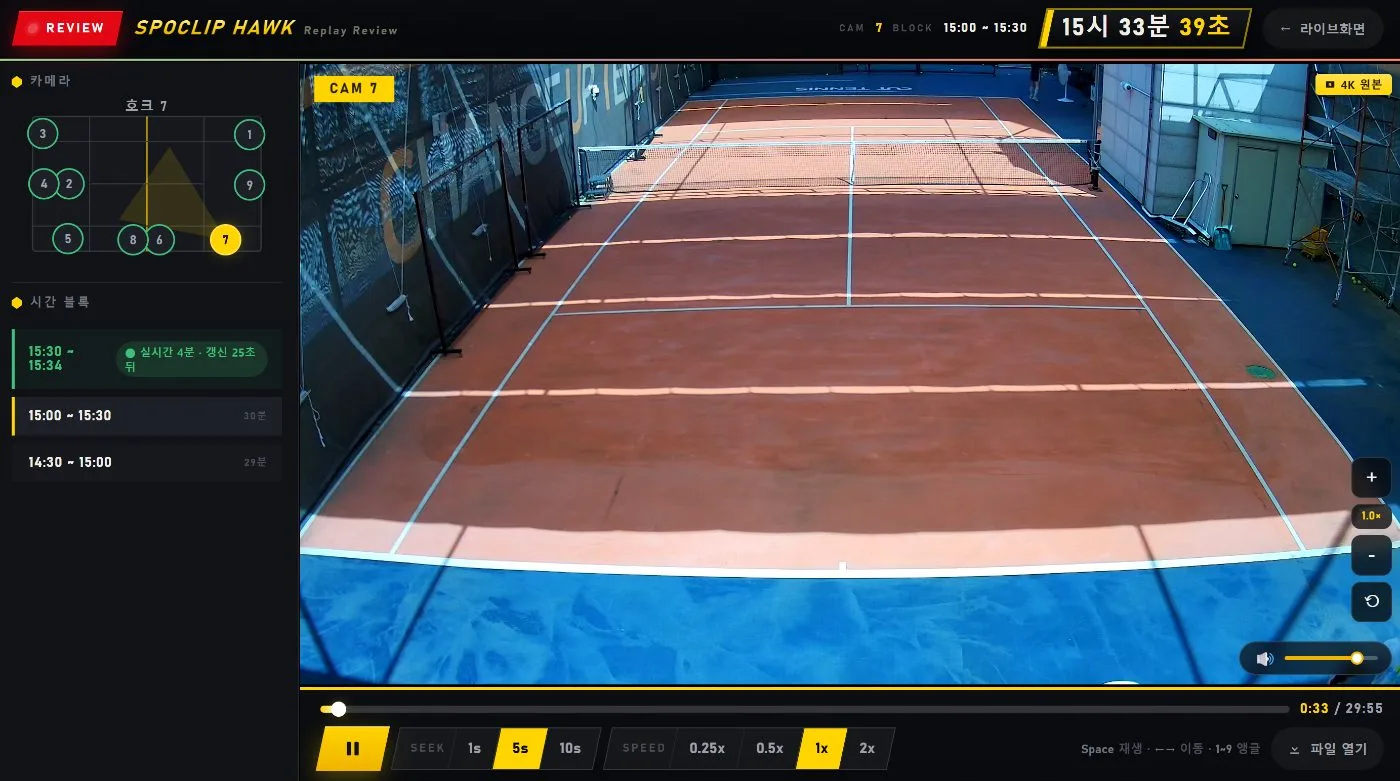
Replay review screen
REPLAY0.25× reviewFlip angles to settle in or out.
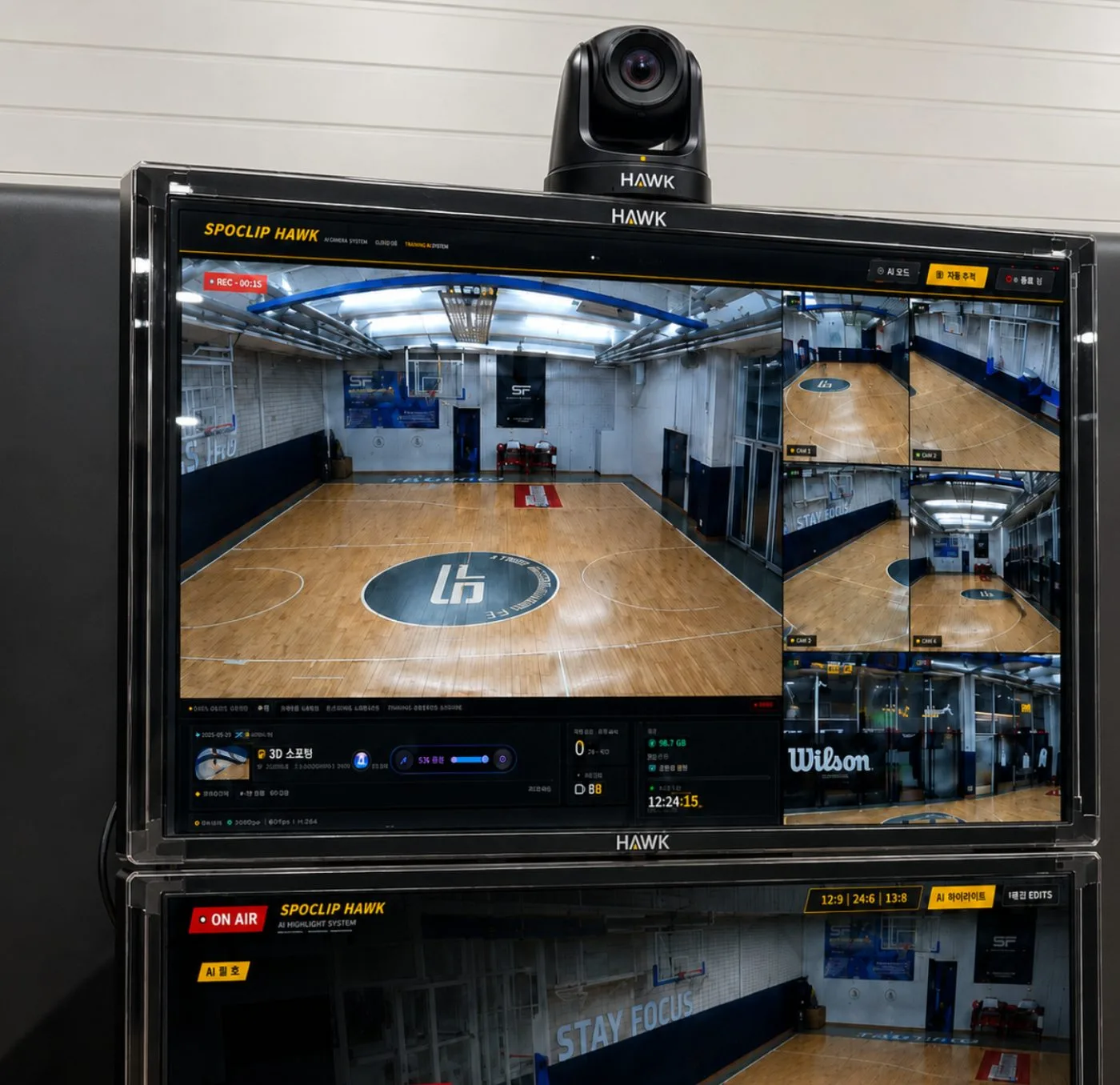
Court multi-view on the HAWK screen with the dome camera
HAWKMulti-view controlThe whole court, every angle, one screen.
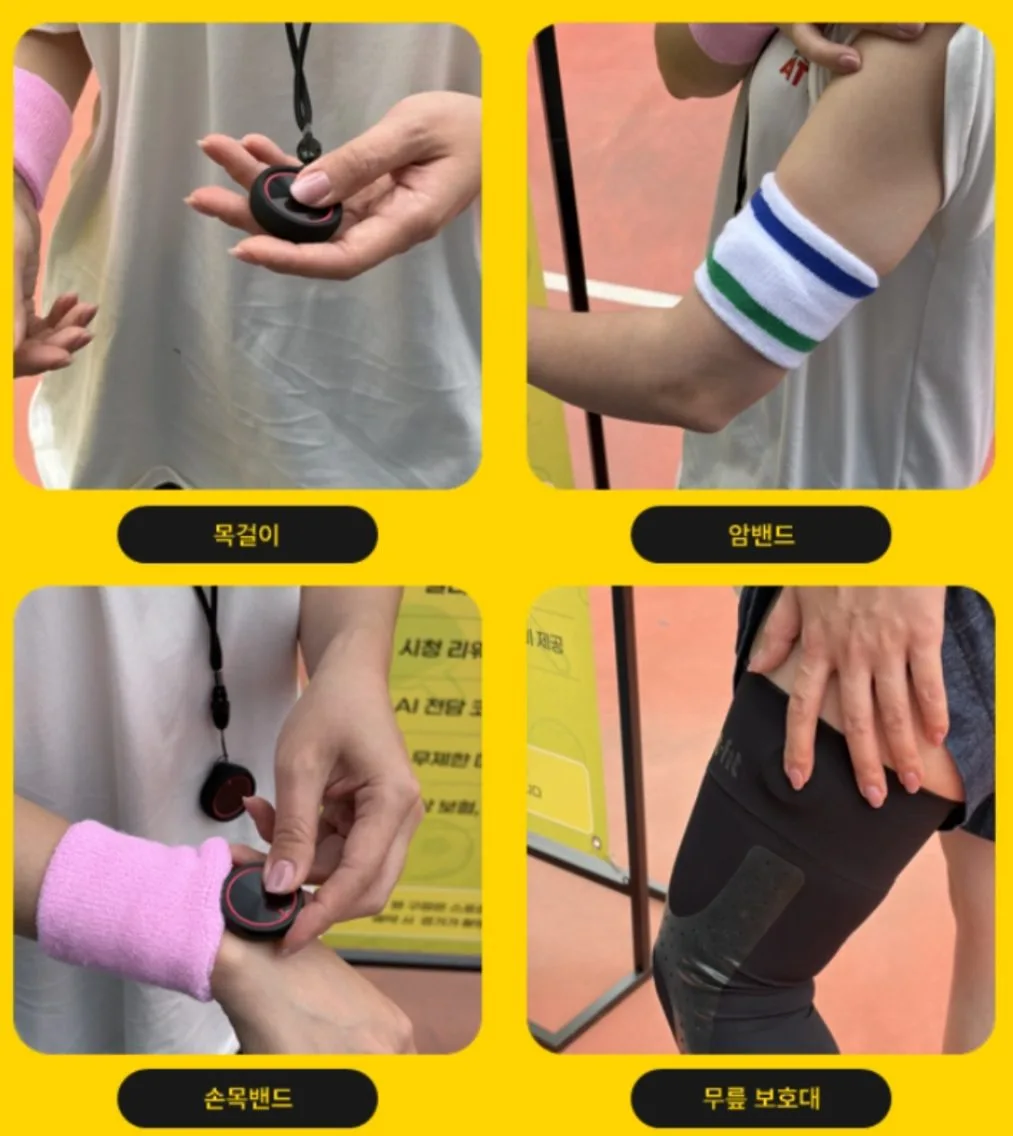
Keep worn as necklace, wristband, knee strap and clip
KEEPWear it anywhereNecklace, wrist, knee or clip.
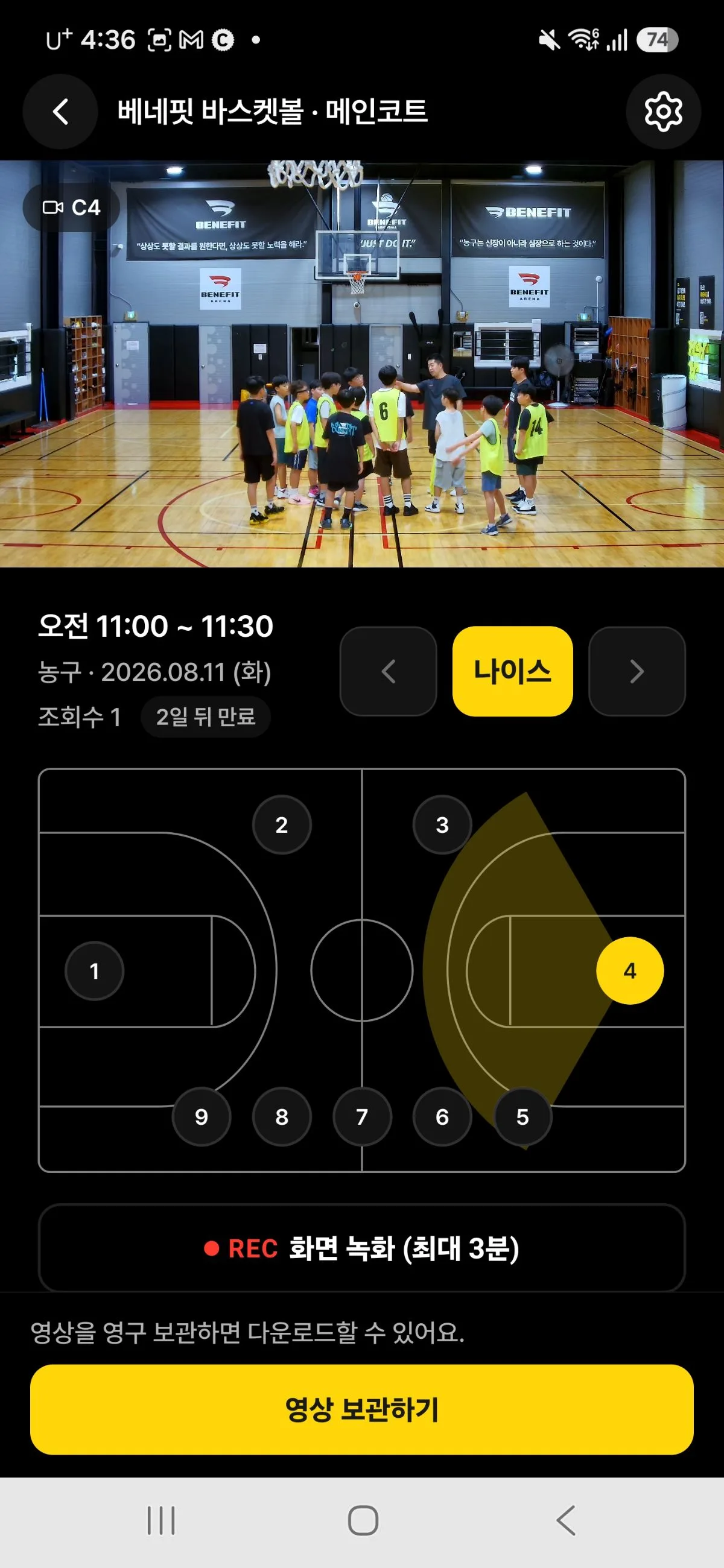
Basketball clip in the app
APP · BASKETBALLEvery angle of the momentPick a camera right on the court map.
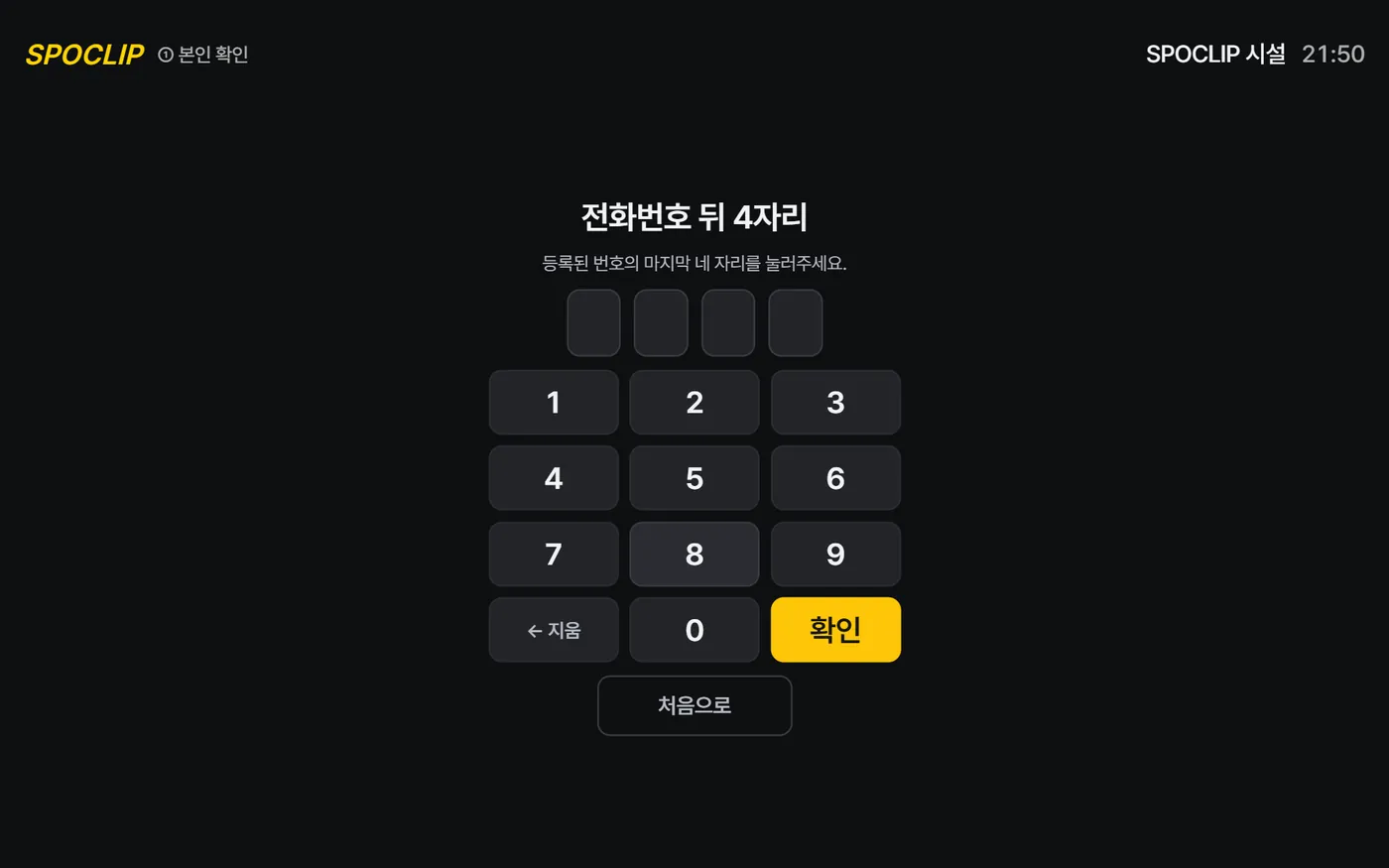
Self-service kiosk keypad
KIOSKSelf check-inFour digits or a QR code — entry and attendance at once.
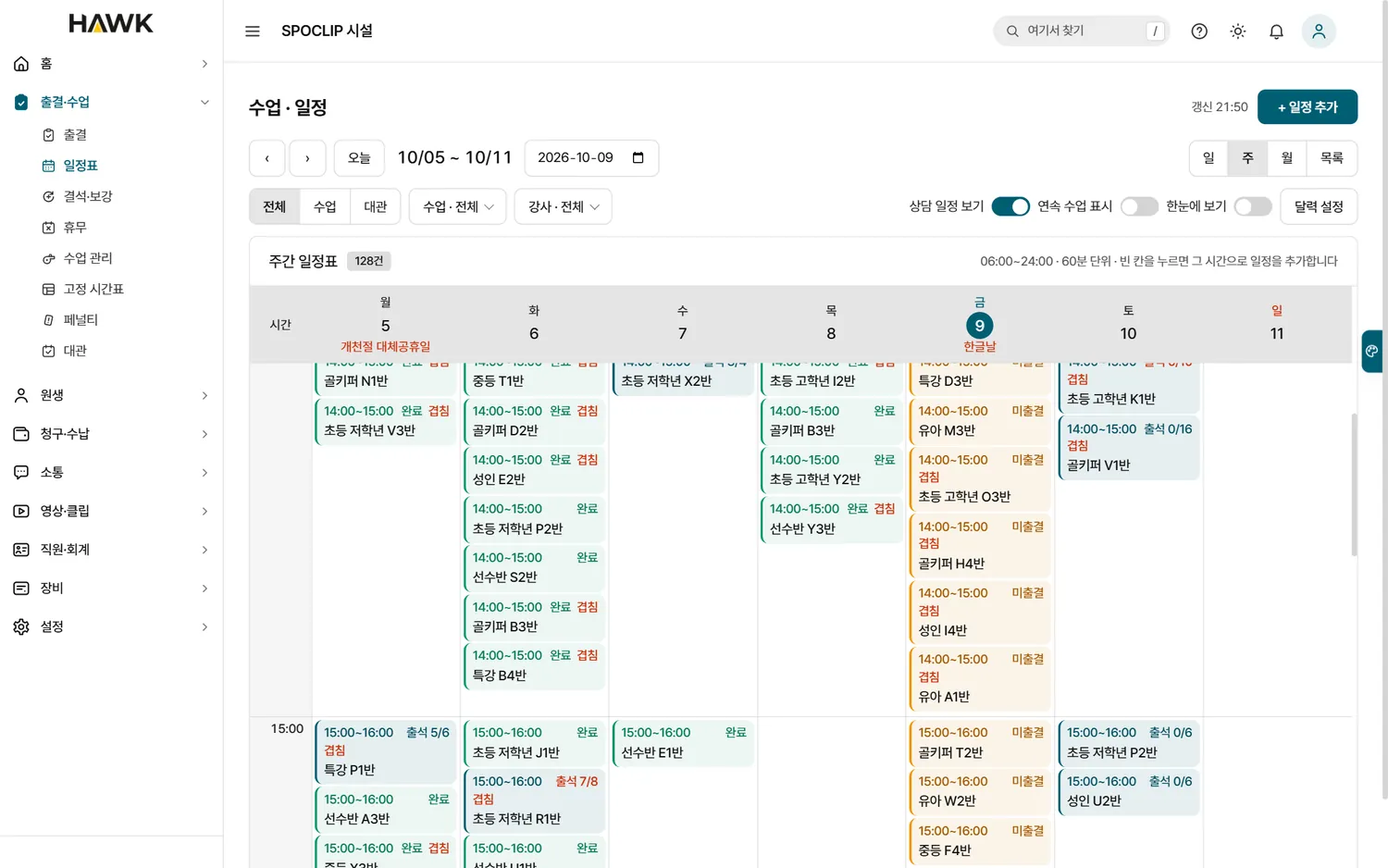
Owner console schedule (sample data)
CONSOLEClasses · scheduleThe timetable is the recording schedule. Names are samples.
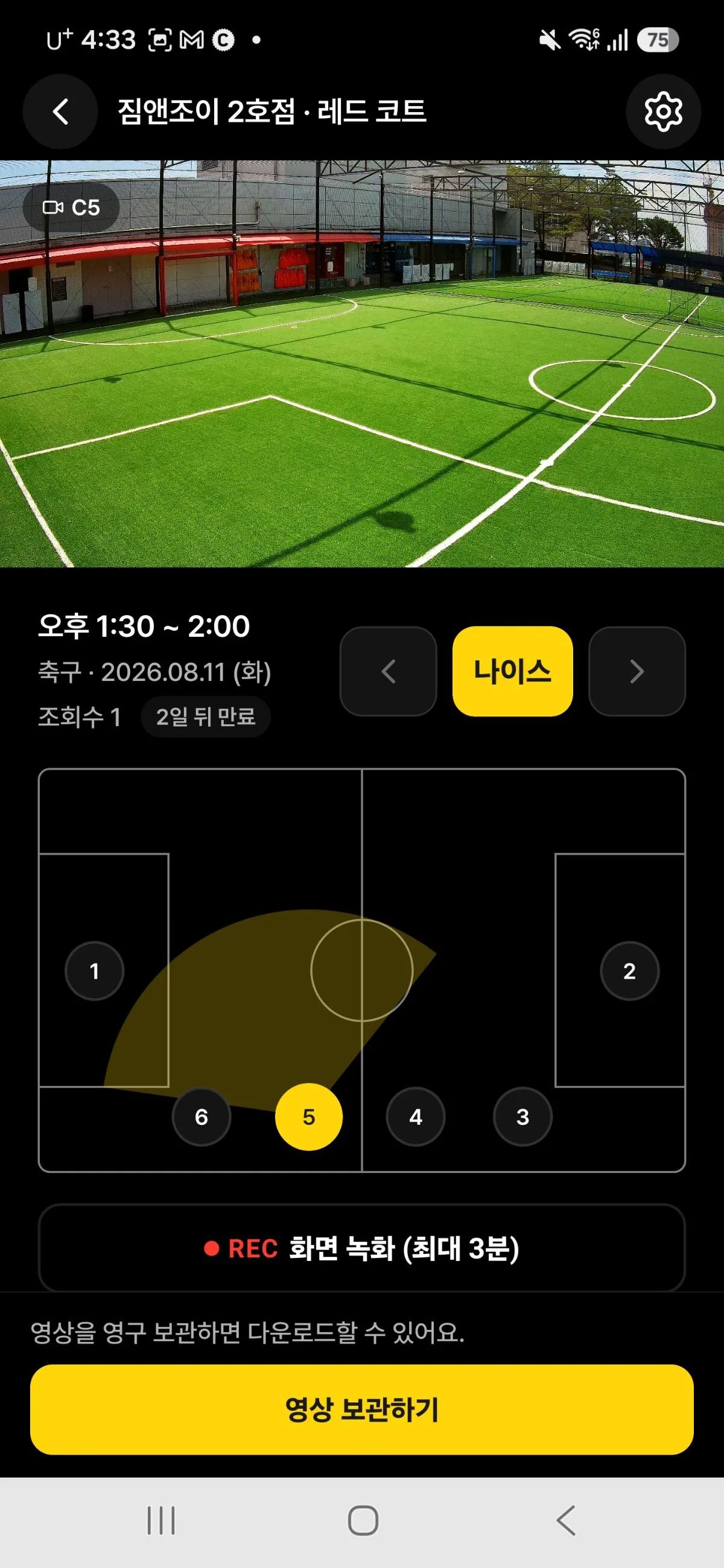
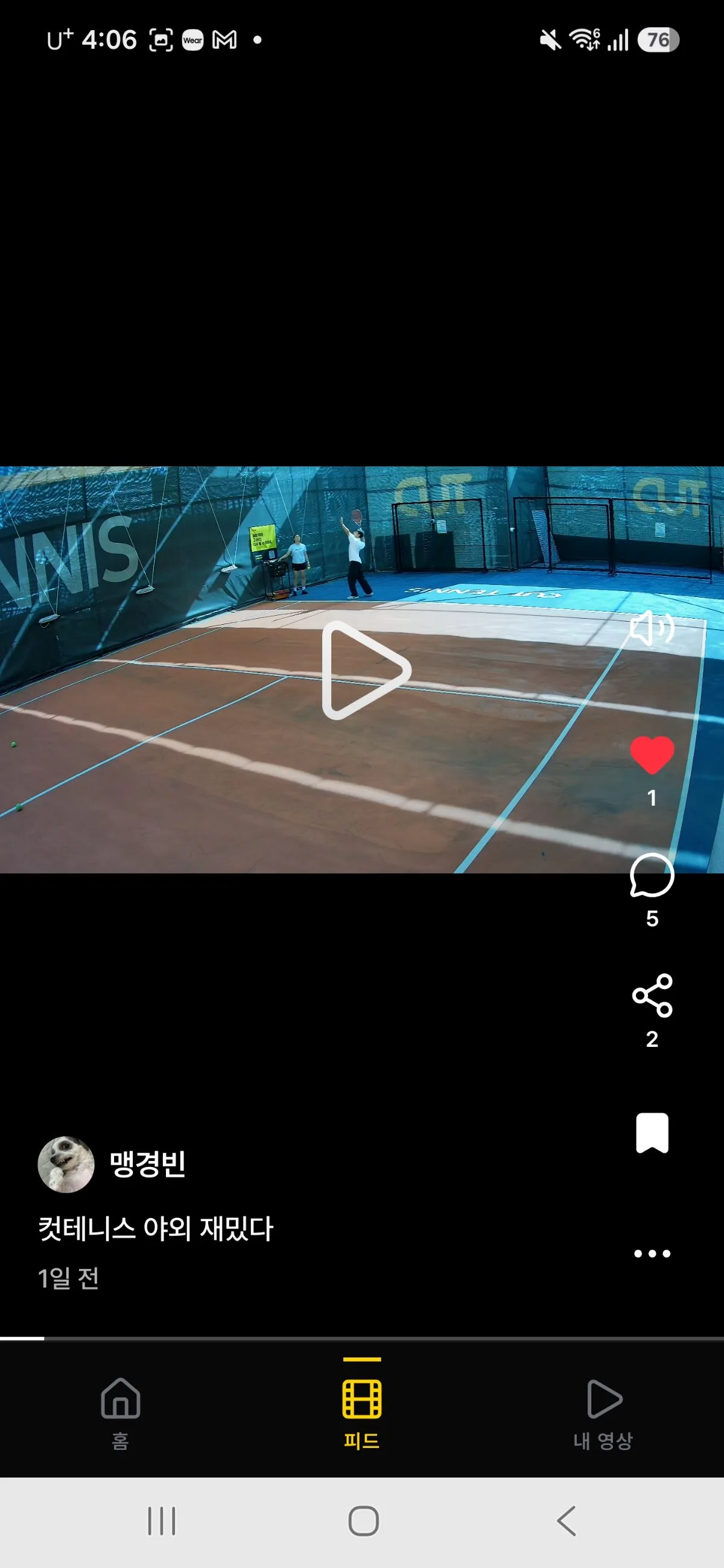
Futsal clip in the app
APP · FUTSALFutsalCamera spots on the pitch become the angle picker.
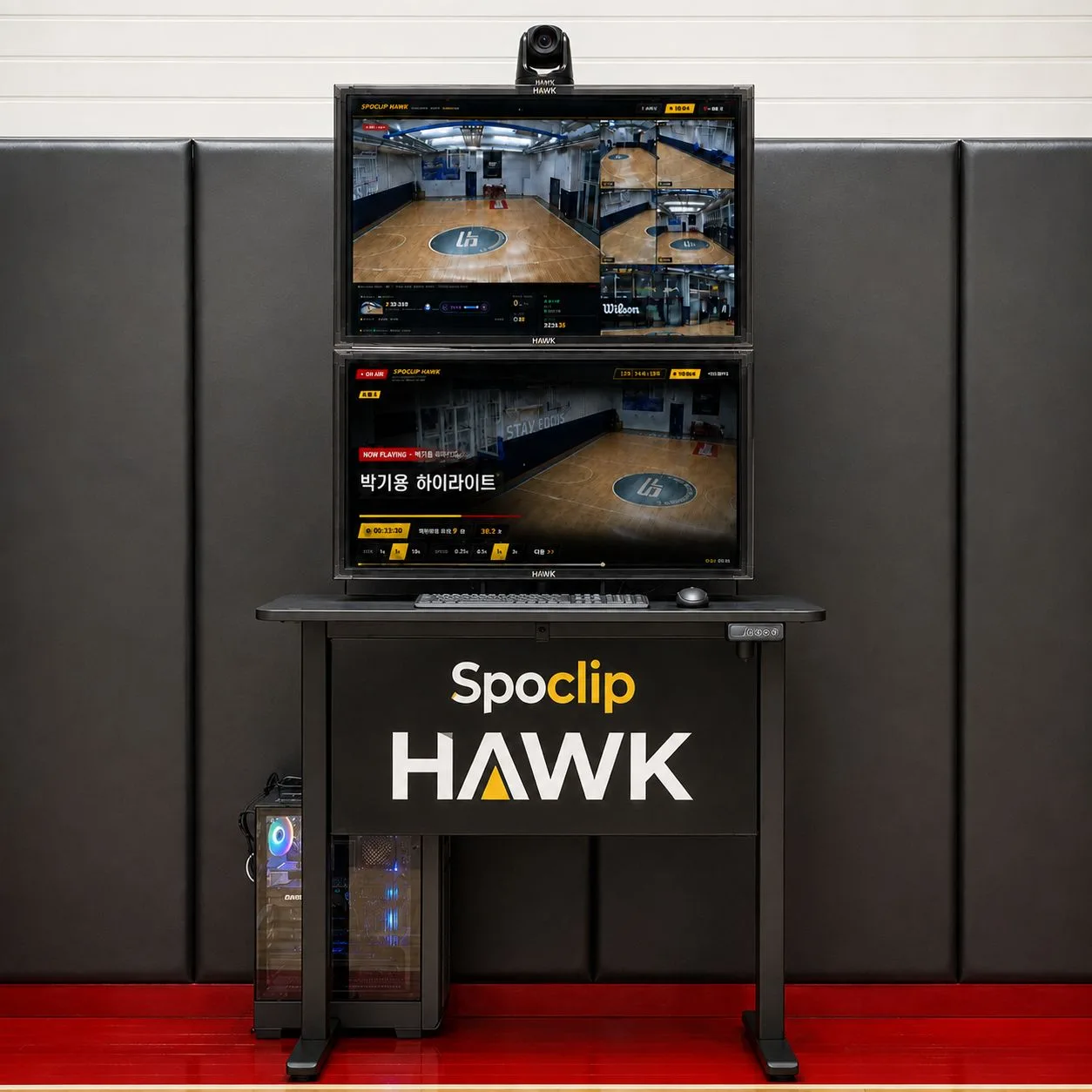
Spoclip HAWK mobile control station
HAWKMobile control stationTwo monitors, a 4K dome camera — one unit.
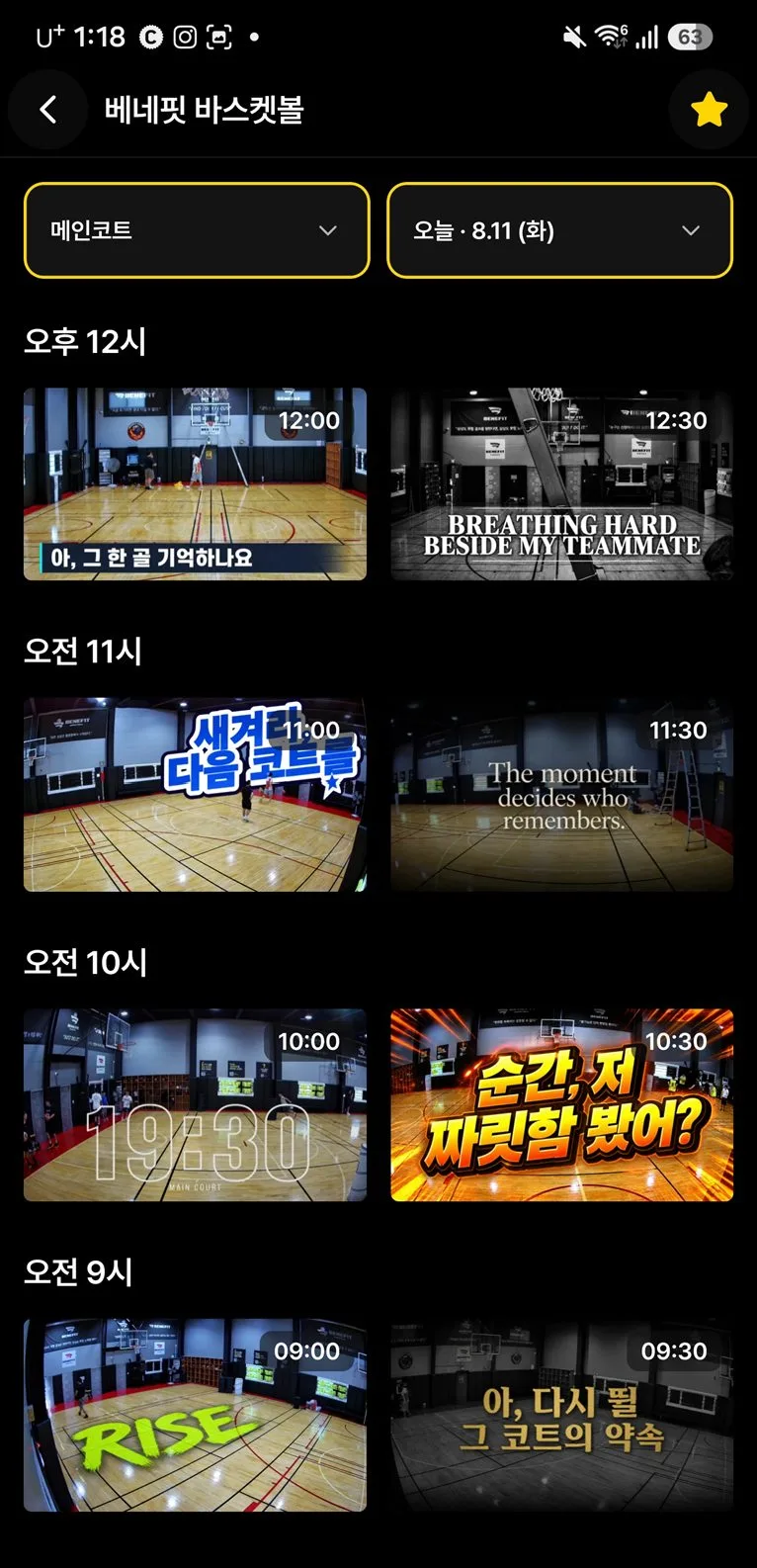
Clips by time slot in the app
APPClips by time slotSorted by time slot the moment class ends.
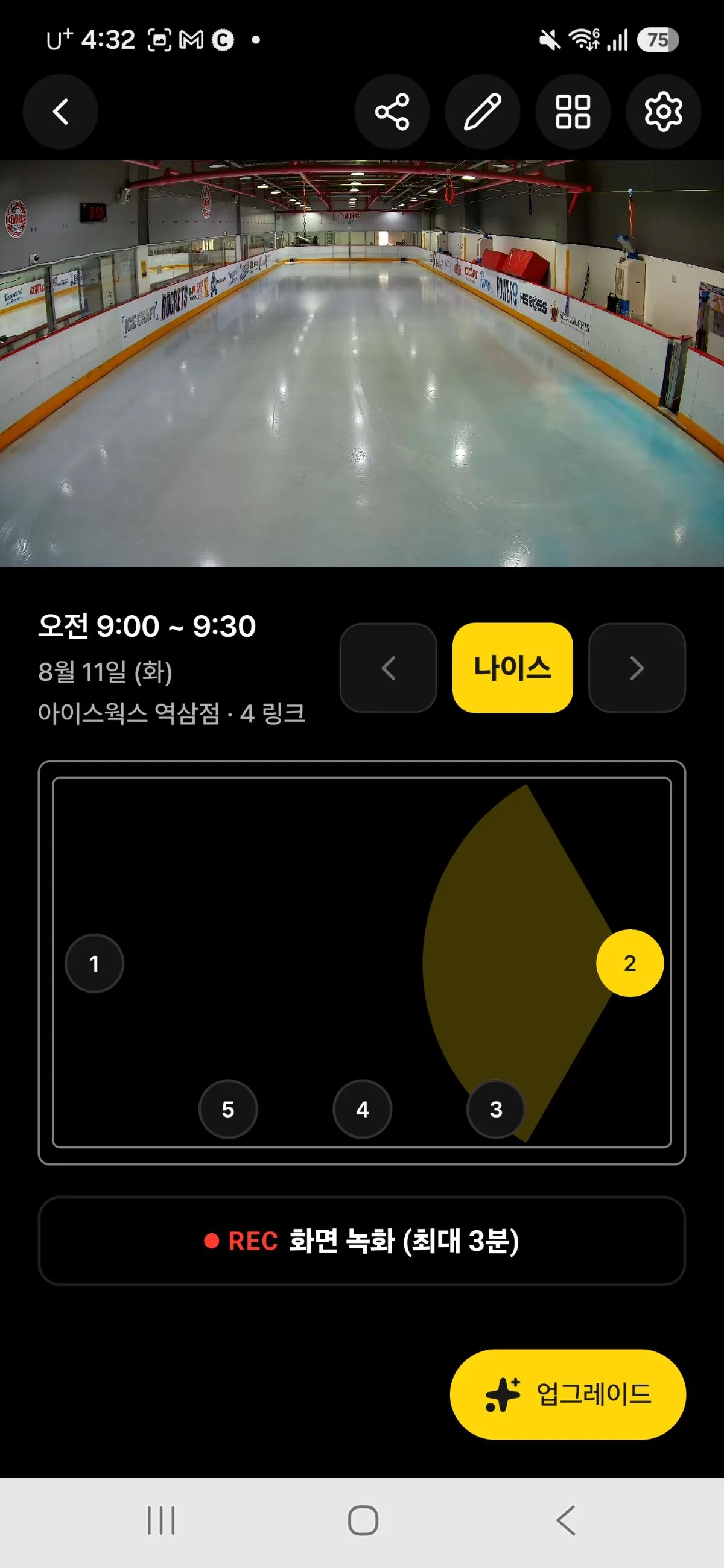
Ice hockey clip in the app
APP · ICE HOCKEYIce hockeyThe faster the sport, the more angles matter.
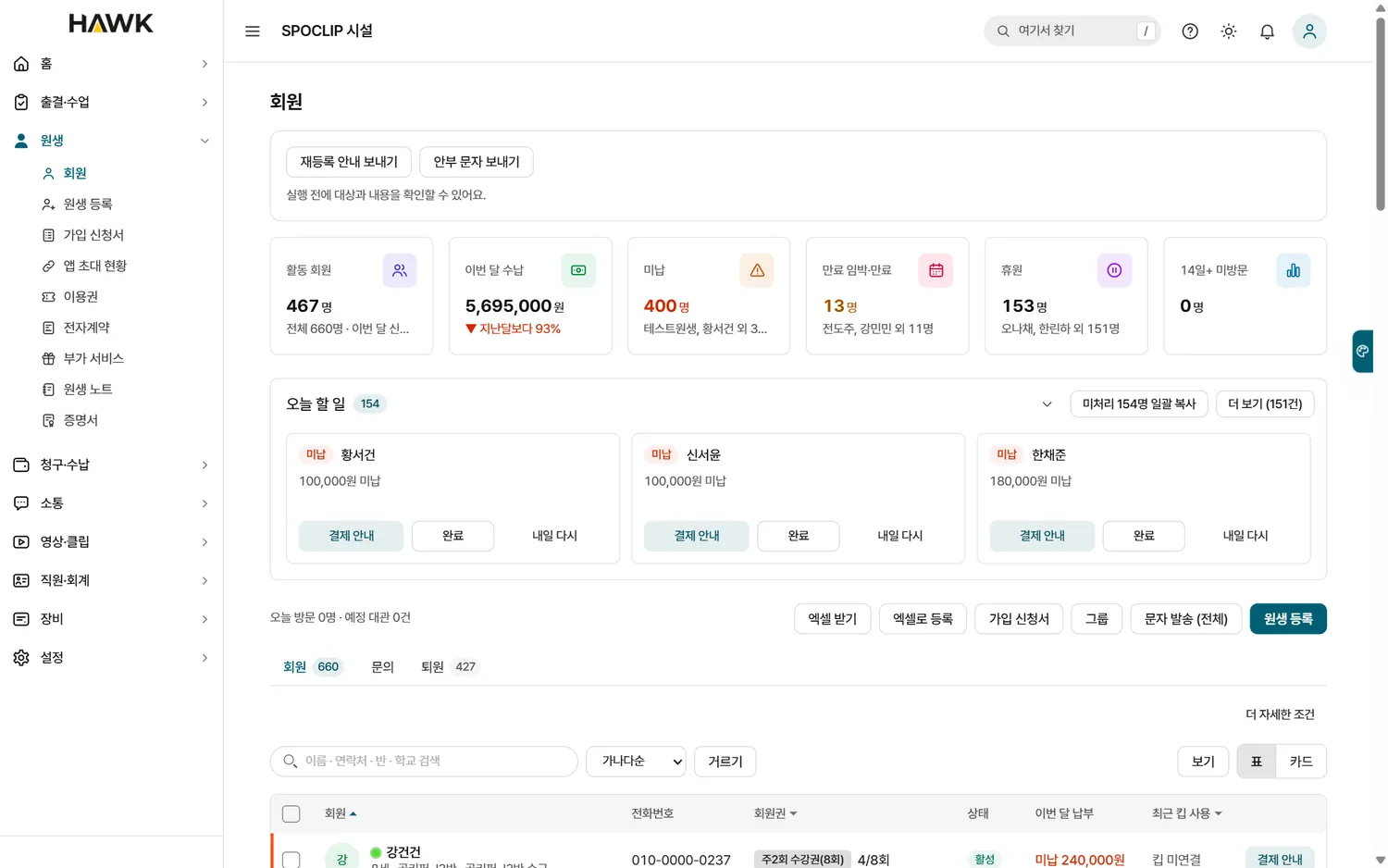
Owner console members (sample data)
CONSOLEMembers · today’s to-dosUnpaid, expiring and paused members surface first. Sample data.
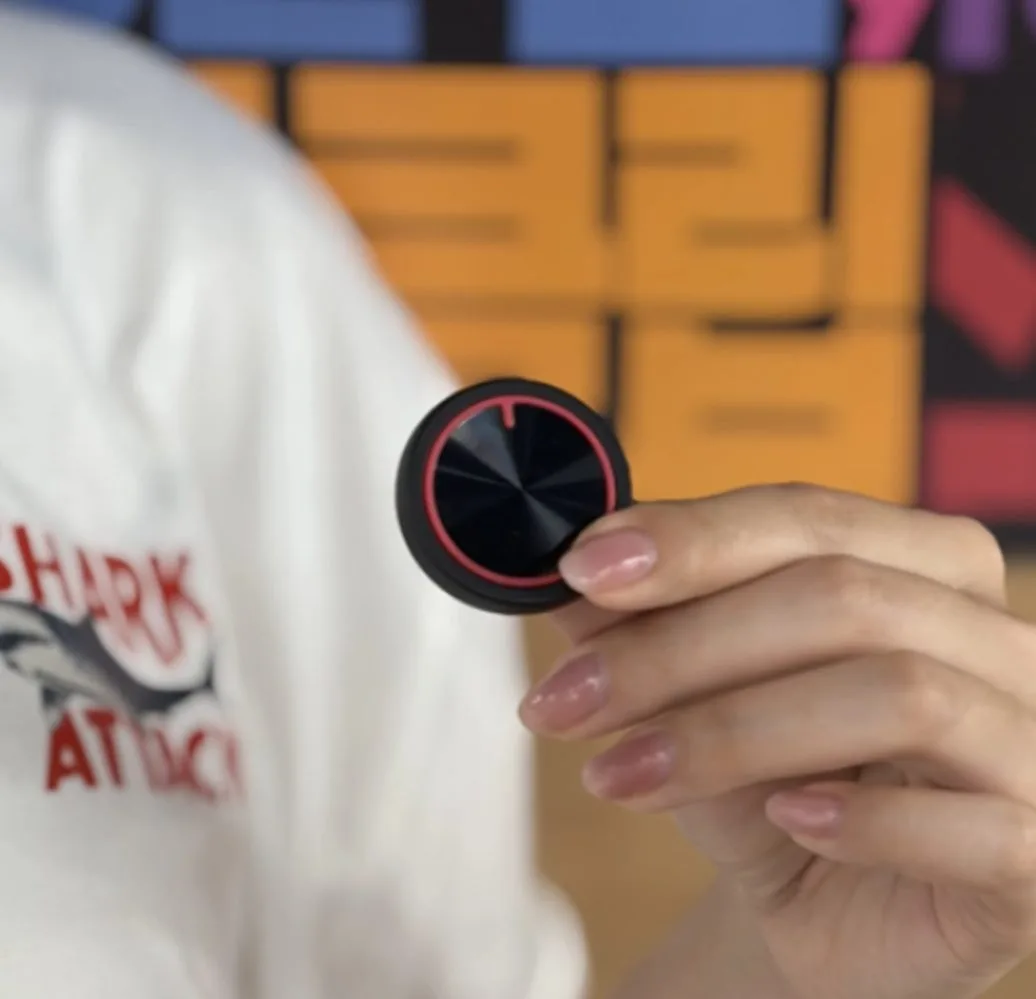
Keep with its red ring
KEEP11 g · IP66Sweat, rain and dust proof.
Reels feed in the app
APPReels feedAuto-edited reels, straight to friends.
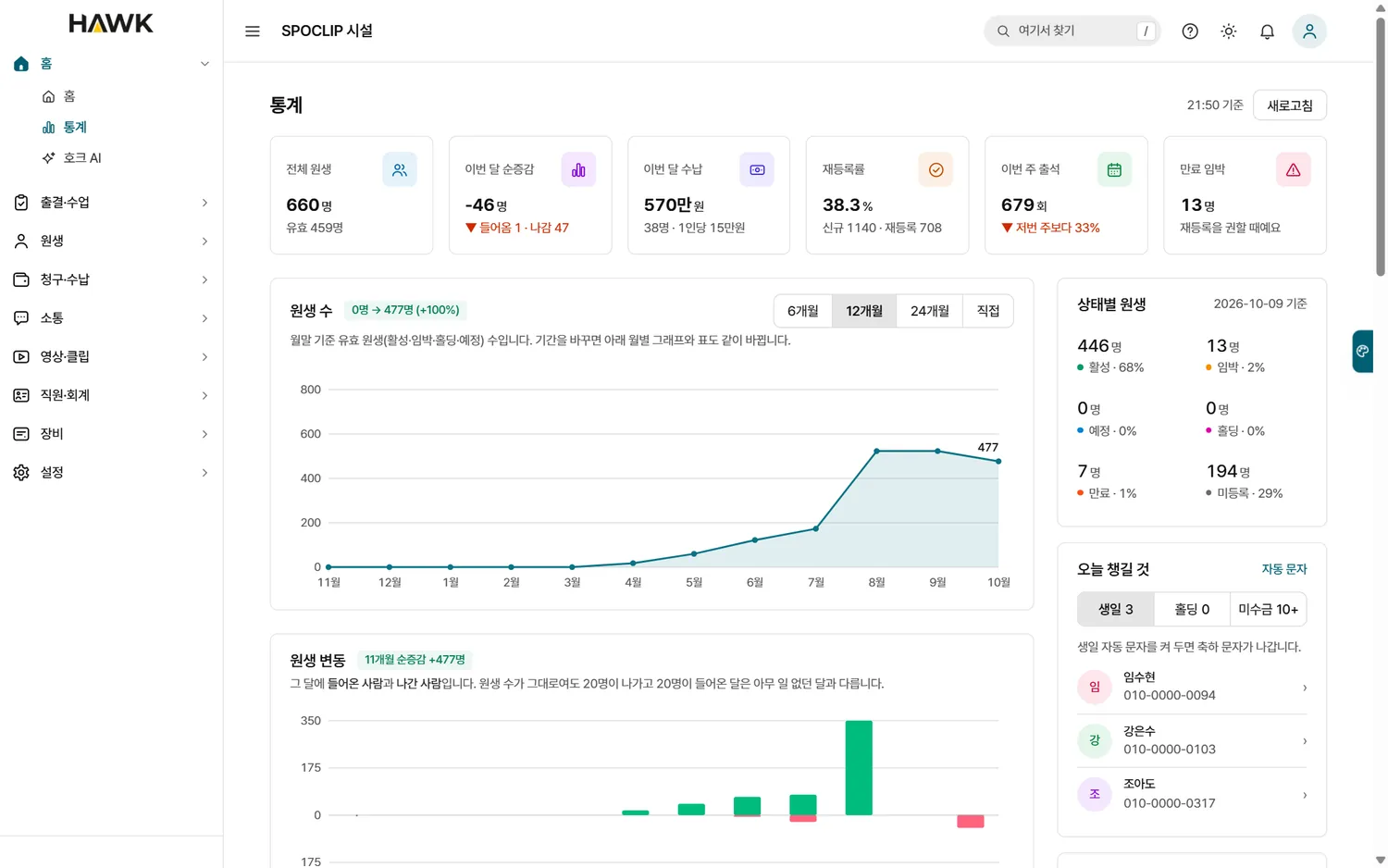
Owner console stats (sample data)
CONSOLEStatsMembers, revenue and renewals at a glance. Sample data.
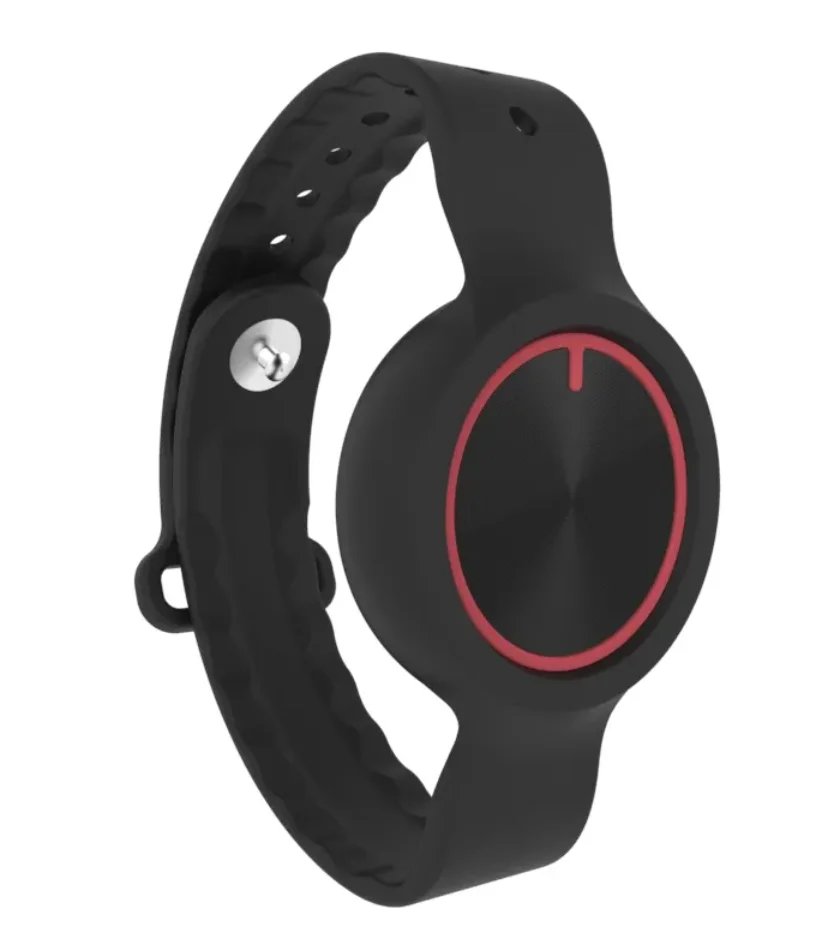
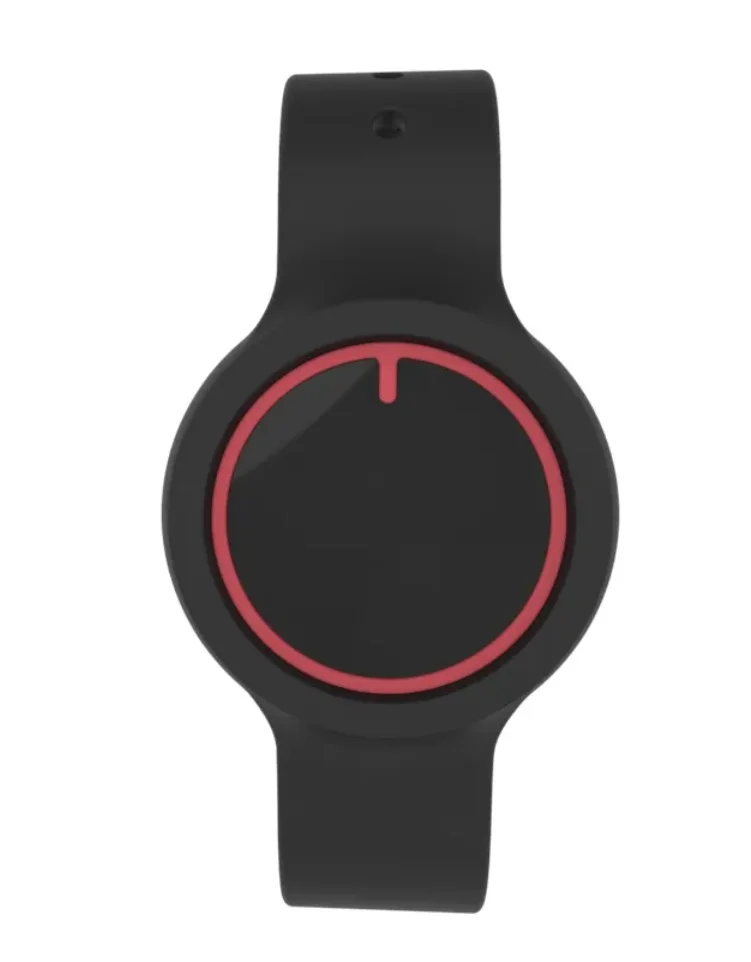
Keep in a wristband, side view
KEEPWristbandStrap it on and play.
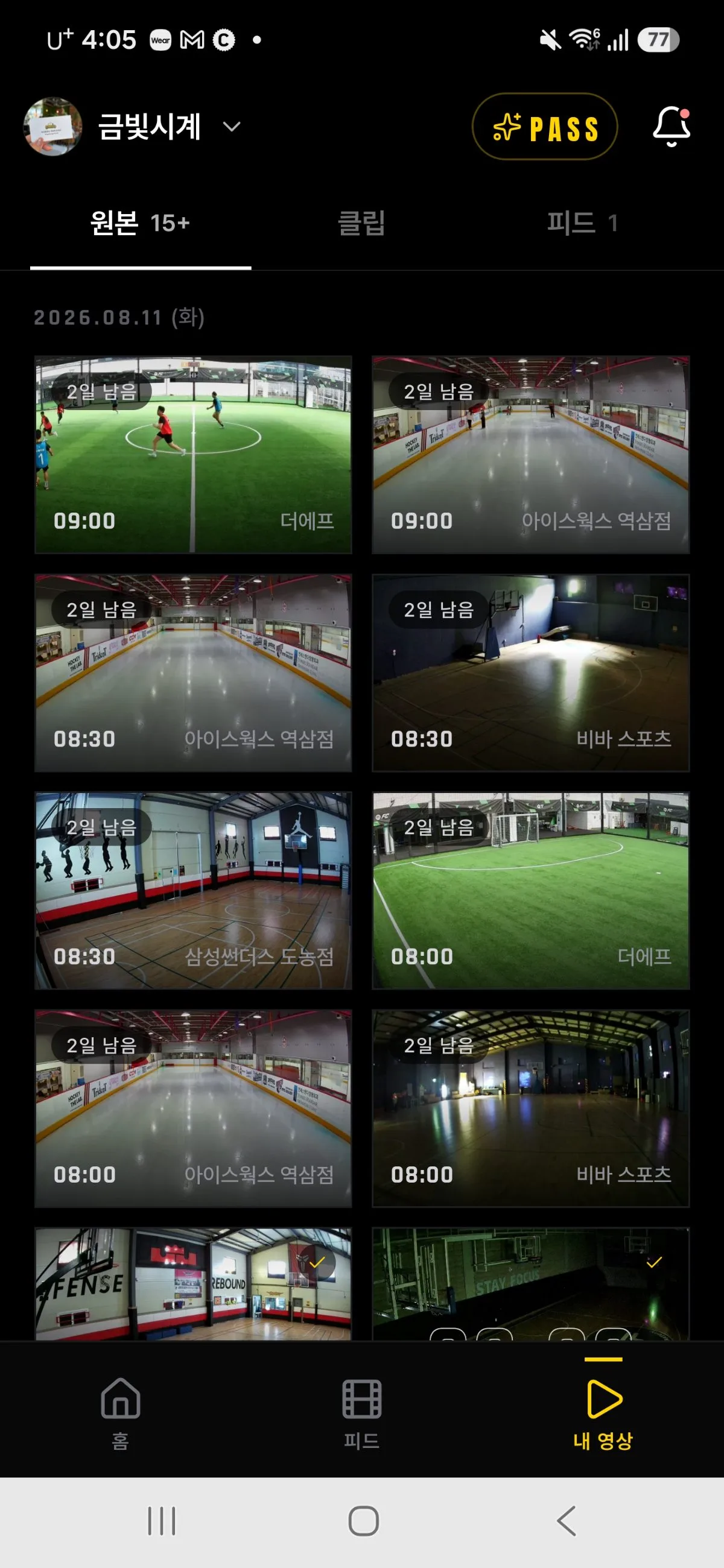
My videos in the app
APPMy videosEvery venue’s videos of you, in one place.
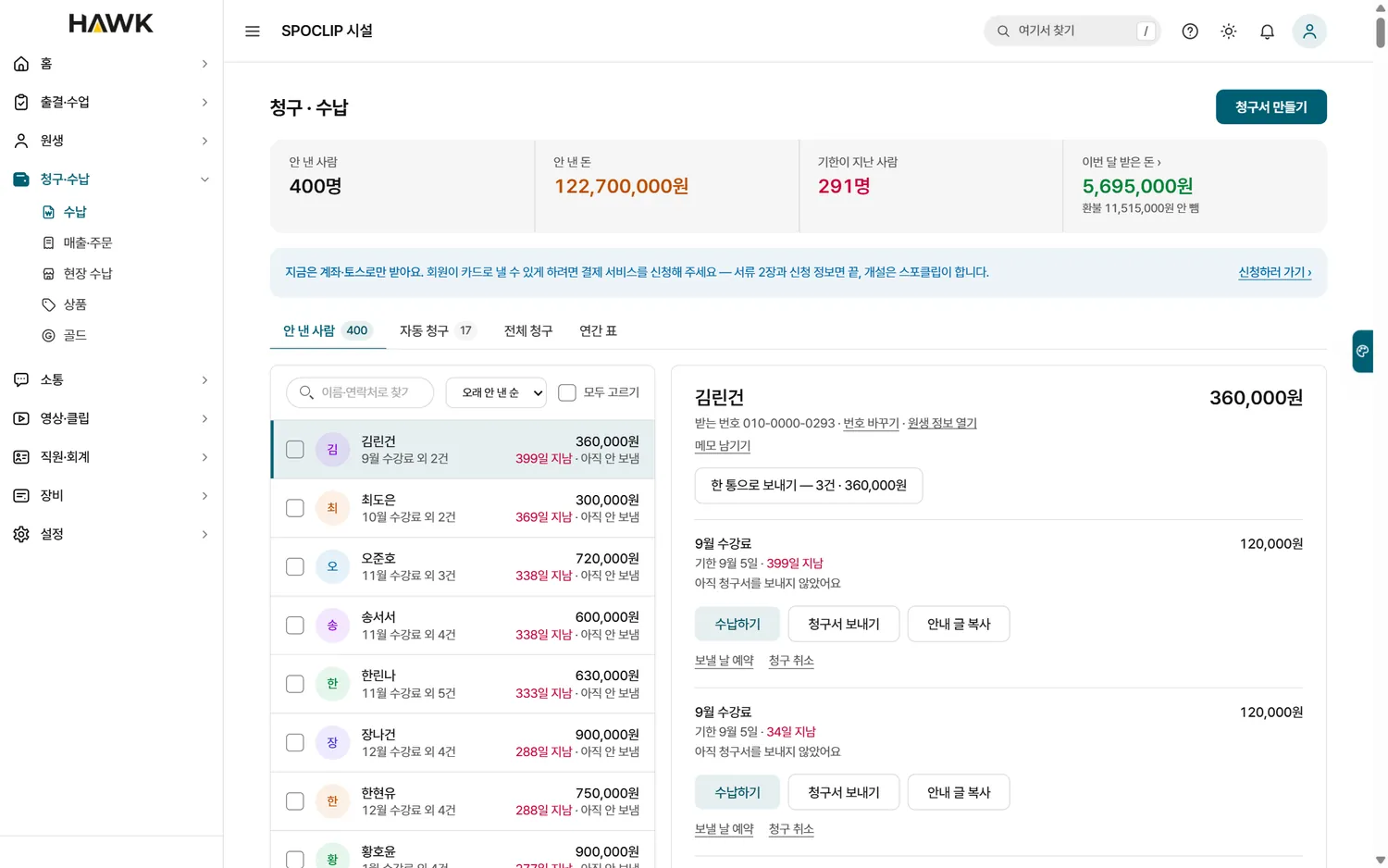
Owner console billing (sample data)
CONSOLEBilling · paymentsAuto-billing, pay links and front-desk payments. Sample data.
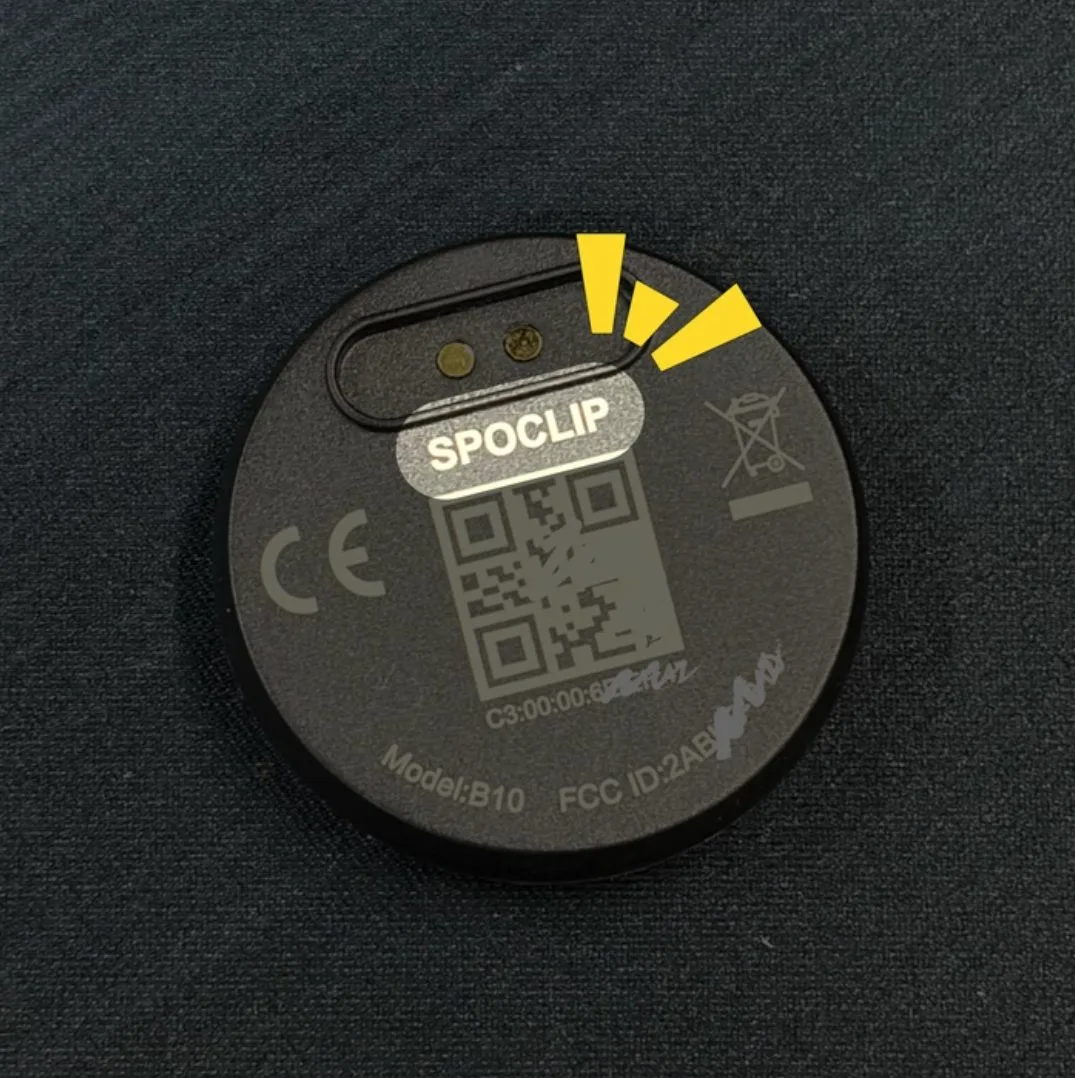
QR code and certification marks on the back of Keep
KEEPPaired 1:1 to youPair with the QR on the back — your clips go only to you.
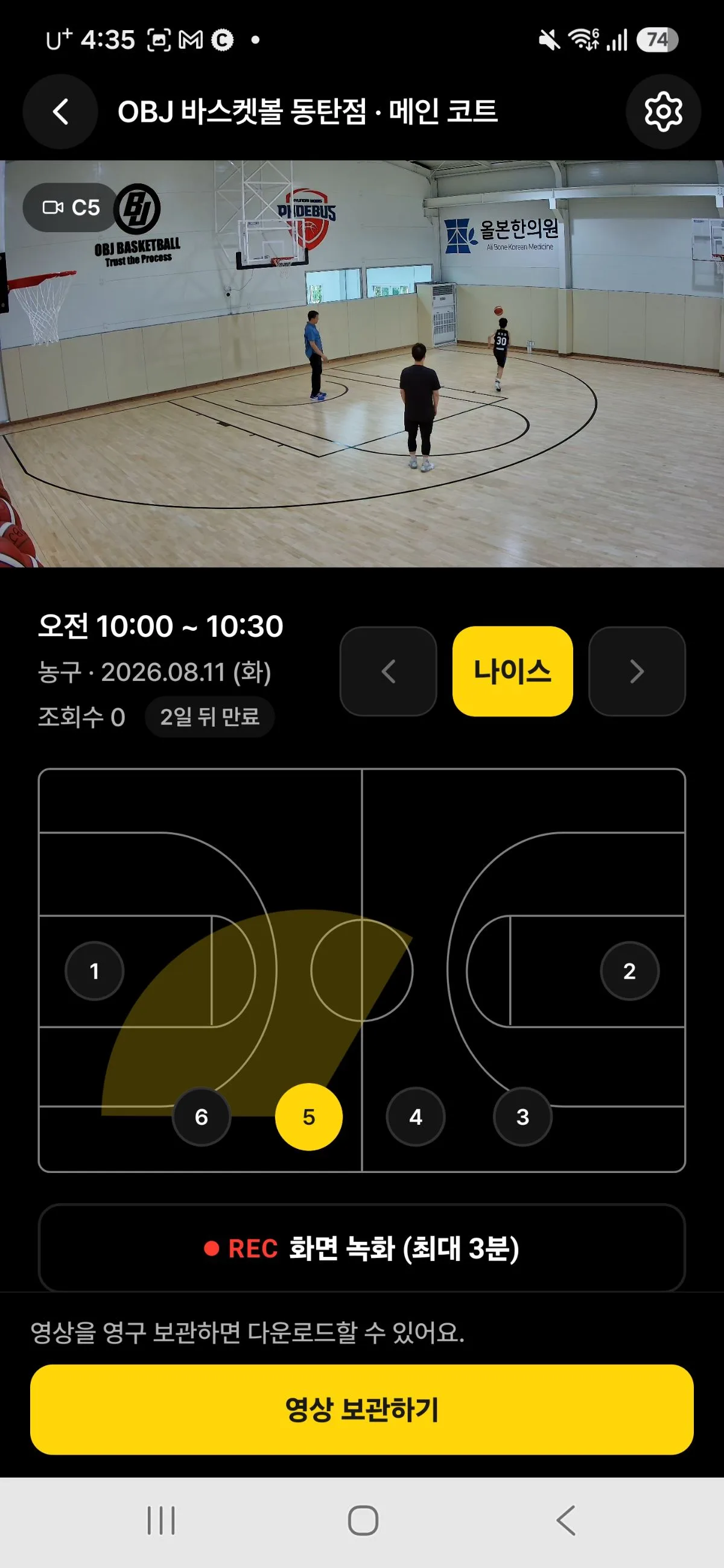
Basketball court map in the app
APPCourt mapTap the camera where you want to look from.
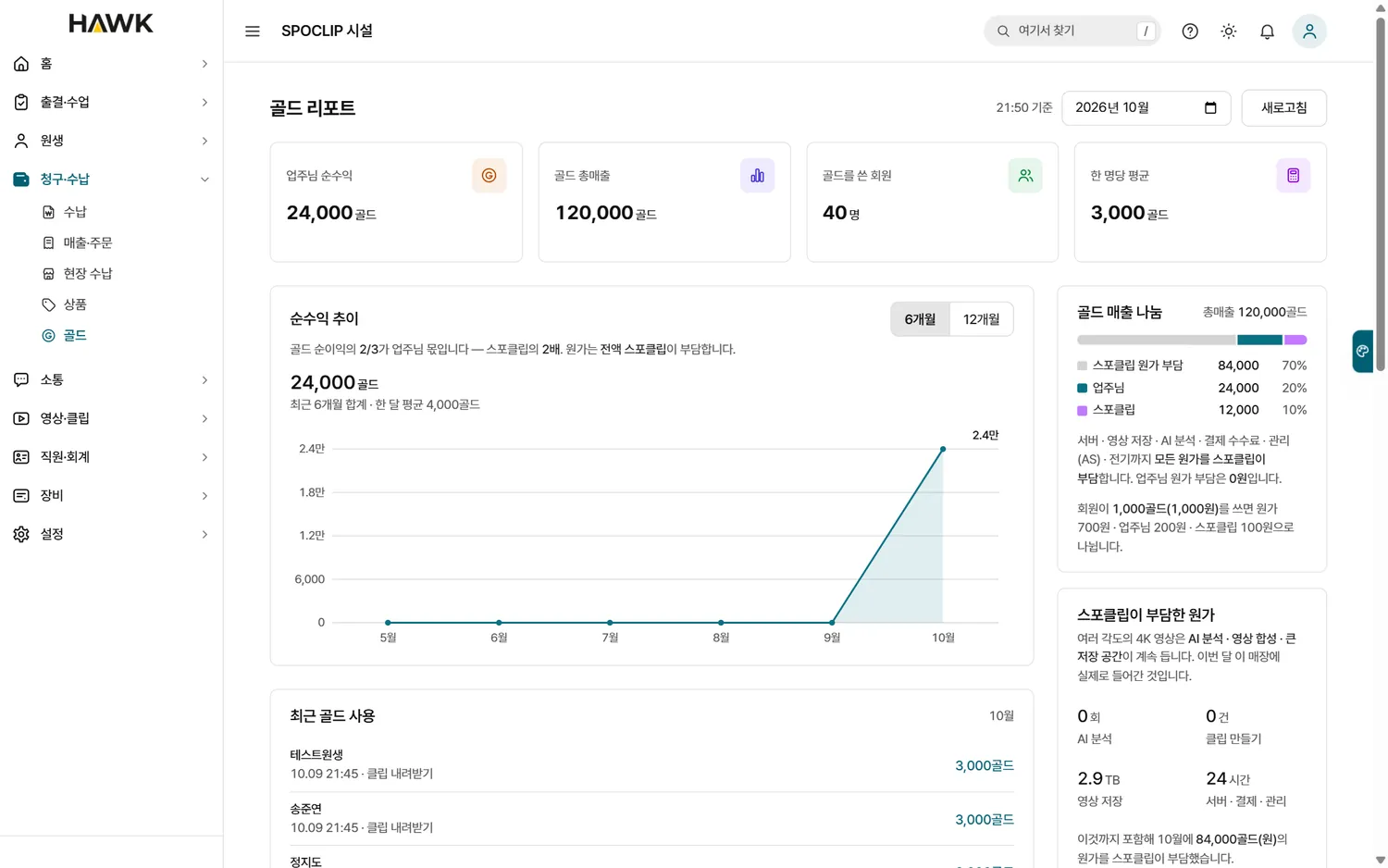
Owner console Gold report (sample data)
CONSOLEGold report5–20% of members’ Gold spend comes back to you. Sample data.
Keep in a wristband, front view
KEEPOne buttonPress once to keep, twice for a best.
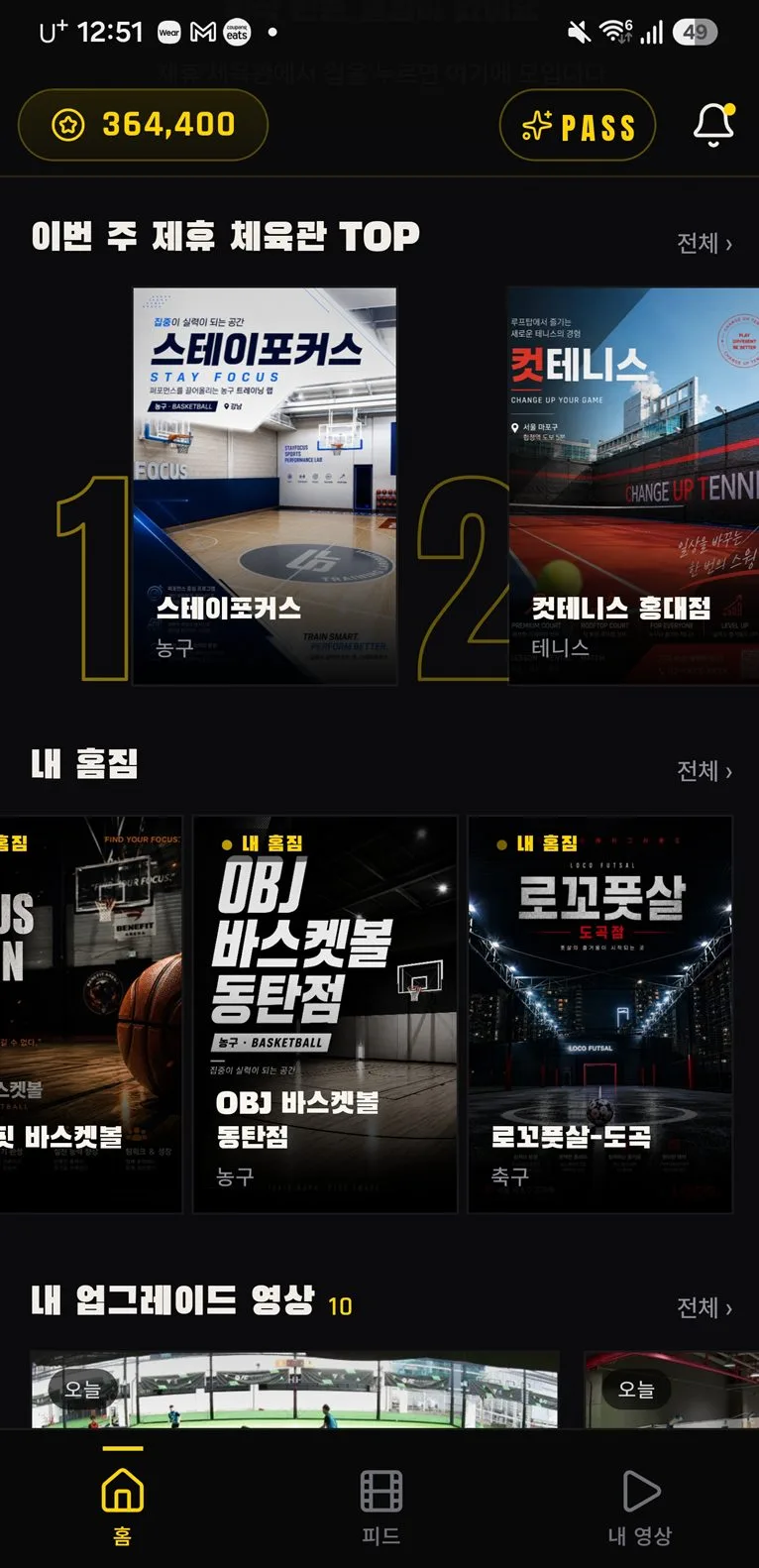
App home screen
APPApp homeThis week’s top plays and your games.
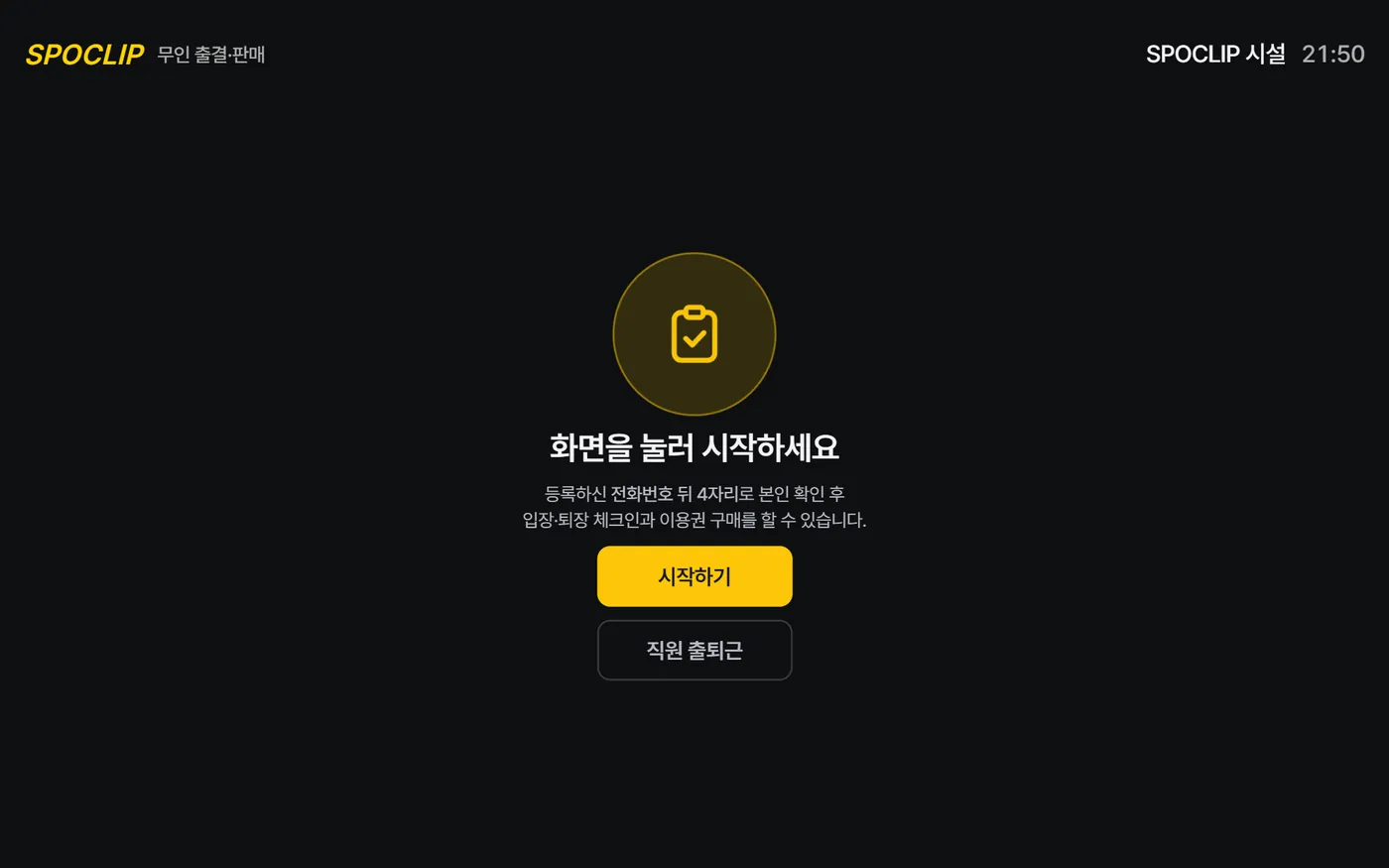
Self-service kiosk start screen
KIOSKCheck-in and salesEntry, attendance and passes — no staff needed.
Swipe through · 18 more

Anywhere a camera can hang

BasketballFutsalTennisBadmintonIce hockeyBallet · danceMusic roomsTaekwondo · jiu-jitsuGolfPilates · fitnessPerforming artsAcademies
Instant replay

Before the next serve,
the call is settled.

Nine angles, 0.25× slow motion, down to the line — VAR and challenge review at a community-court price.

Try a review →
How it runs

Set the timetable once.
The rest runs itself.

No camera crew, no editors — from recording to the member’s app to the owner’s console in one line.

  1. TimetableSet once, every class records
  2. Always recording4K multi-angle, frame-synced
  3. One Keep5s before + 3s after
  4. AI editingEvery-angle clips and reels
  5. In the appBefore the game is over
  6. Owner consoleHawk AI sorts operations
Highlights

How venues
use it.

Try it

Press.
It’s already recorded.

The cameras are always rolling. Press Keep and the last 5 seconds plus the next 3 are cut from all 9 angles and sent to your app.

Press it like a real Keep · Space

Always recording CAM 1 – 9 · frame-synced --:--:--:-- In my app 0
FAQ

Frequently asked
questions.

How long does installation take?

After a site check of lighting, distances and layout, a venue takes about half a day. Our own crew installs every venue.

How many cameras do we need?

Nine is standard. Depending on the space it scales from 4 to 20–30, and we plan placement and count together on site.

What do members need to do?

Just get the app. Joining and watching are free; Gold is only for premium features.

Does it work without Keep?

Yes. Classes and games record on schedule and can be found by time slot in the app. Keep is the button that clips “that moment” instantly.

What about our existing member data?

Spreadsheets or another CRM — we move members, remaining passes, payments and arrears, and attendance, then match remaining visits and dates 1:1.

Who can see the videos?

Class videos open only to members on that class list, and only for that hour. Keep is paired 1:1 to your account, so your clips reach only your app.

Can it replace CCTV?

Always-on 4K recording and night-time person alerts are built in, so you don’t need separate security gear. Lights and HVAC switch off when the space is empty.

What does it cost?

Keep is a one-time ₩29,000 with no fees. HAWK is quoted for your cameras and features; extra cameras are ₩10,000 a month each, and annual billing gets two months free (VAT excluded).

What spaces does it fit?

Basketball, futsal, tennis, badminton and ice hockey to ballet and dance, music rooms, taekwondo and jiu-jitsu, golf, pilates, stages and academies — anywhere a camera can hang.